
How to showcase past podcast appearances
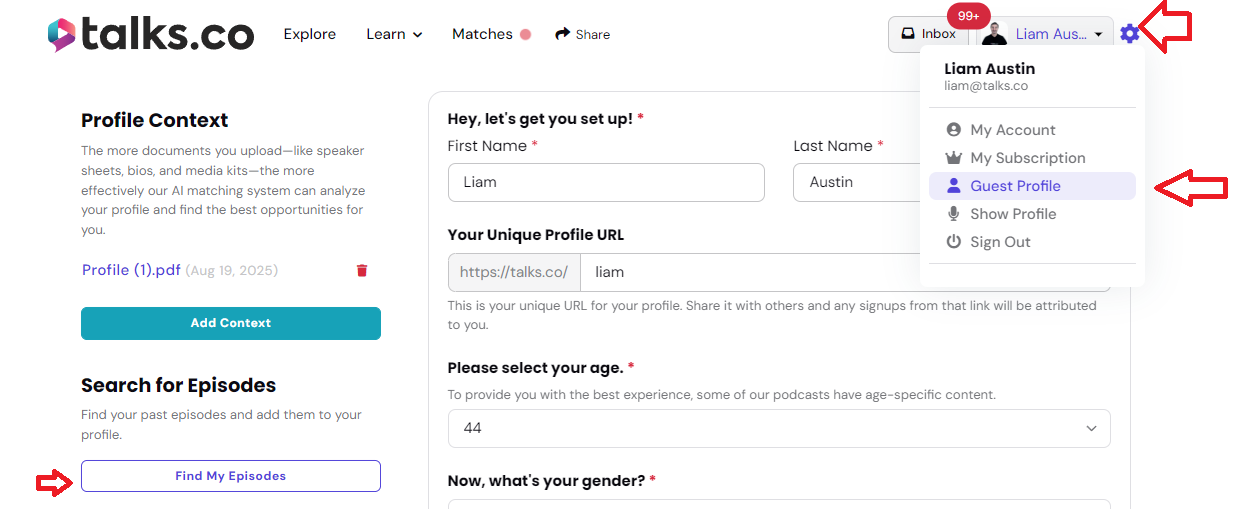
To highlight your past podcast appearances on Talks.co:
- Edit your profile
- Navigate to the “Search for Episodes” section (located on the left side)
- Click “Find My Episodes”
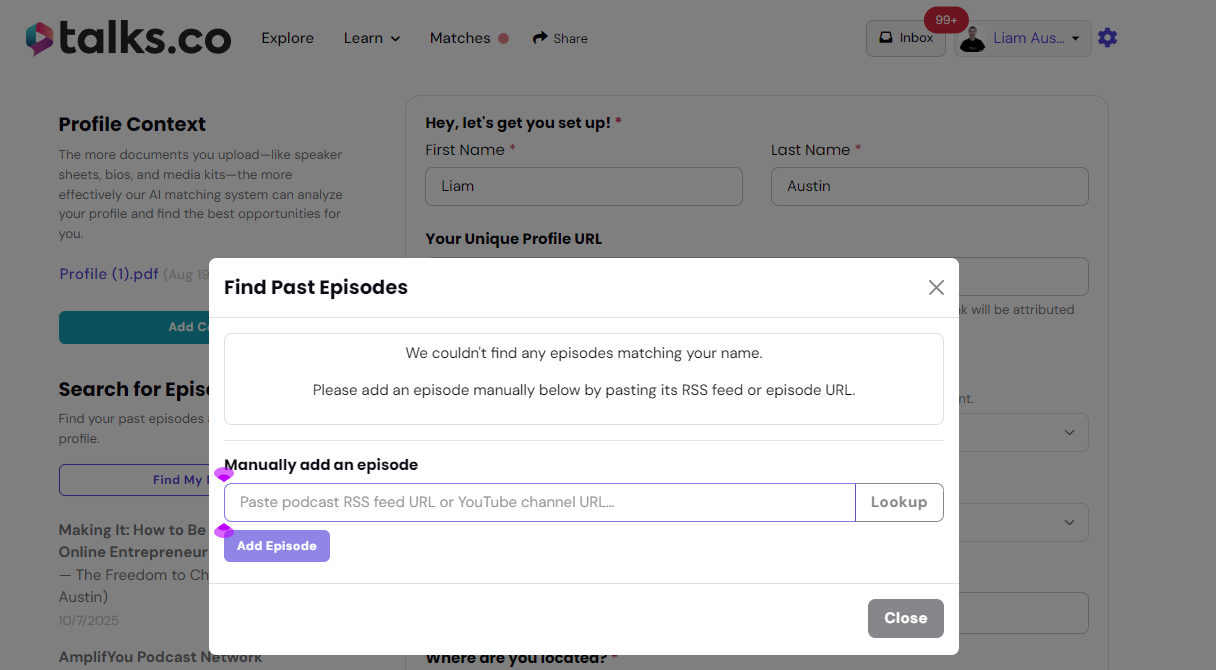
- Manually add an episode by pasting its RSS feed or episode URL
- If your episode is on YouTube, please enter the YouTube channel link (not the video link), then select the episode you want to include.
Please see screenshots below for reference.
It’s a simple way to showcase where you’ve been featured and build instant credibility on your profile.